
A Simple 2026 Guide to Creating Video with What You Already Have
Video is no longer optional.
When students, parents, job seekers, and even educators research your company, they are looking for one thing: Proof.
They want to see:
- Your facility
- Your technology
- Your people
- Your culture
The good news? You do not need a production crew.
You need:
- A smartphone
- A simple tripod
- A ring light
- Wireless microphones
- And a plan.
Video is one of the most powerful tools you can use to support recruitment, youth awareness, and community engagement.
Let’s make it simple.
Five Types of Videos Every Manufacturer Should Create
You do not need to overthink this. Start with these five.
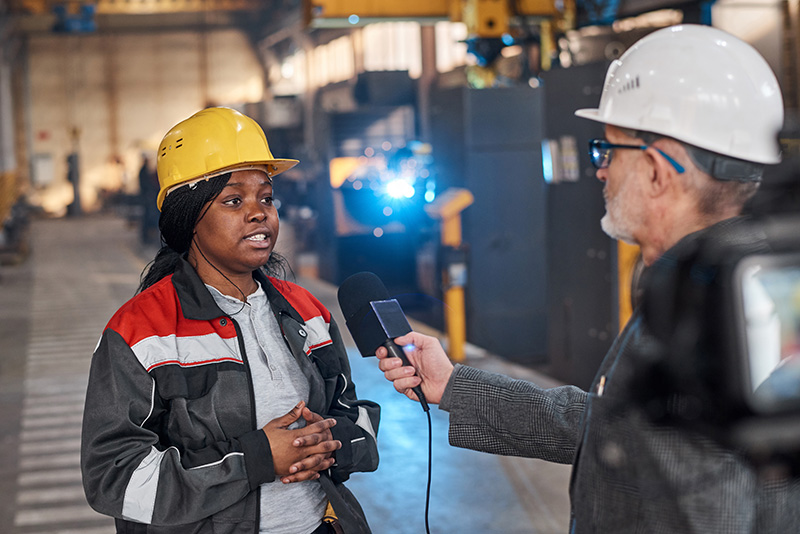
- Day in the Life Employee Videos
Why:
Students and job seekers want to understand what the job actually looks like.What to record:
- An apprentice
- A CNC operator
- A maintenance technician
- An engineer
Prompt your team with:- What do you do here?
- What surprised you most about this job?
- What skills matter most in your role?
- Why did you choose manufacturing?
Keep it conversational. 60–90 seconds is perfect. - Process in Action
Why:
Modern manufacturing is high-tech. Show it.
What to record:- Robotics in motion
- CNC machining
- Laser cutting
- Assembly lines
- Automation
Prompt voiceover idea:
“This machine produces parts used in medical equipment nationwide.”
“This robotic system improves safety and efficiency on our floor.”Short clips. Clean visuals. Minimal talking required.
- Career Pathway Stories
Why:
Parents and students care about growth.
What to record:- An employee who started entry-level and advanced
- Someone who completed an apprenticeship
- A recent graduate hired into a skilled role
Prompt questions:- Where did you start?
- What training did you receive?
- What advice would you give someone considering this path?
This aligns directly with WestCOMP’s focus on career pathways and workforce development
BENEFITS TO MANUFACTURERS 7-31-…
. - Facility Walkthrough
Why:
Many still picture outdated, dirty factories. Change that narrative.
What to record:- Clean production areas
- Safety measures
- Training spaces
- Break rooms
- Technology stations
Have a leader walk and talk for 1–2 minutes.Script starter:
“Welcome to our facility in West Central Ohio. Today we’re showing you how advanced manufacturing really looks.” - Community & Workforce Involvement
Why:
Partnership builds trust.
What to record:- Student tours
- Power Hour participation
- Scholarship recognition
- Teacher job shadow days
When you participate in WestCOMP initiatives, capture it. These programs are designed to increase career awareness and strengthen the pipelineImplementation and KPI Speakers…
How to Capture Quality Video with a Phone
You do not need a camera crew. A recent iPhone or Android device works perfectly.
Follow these basics:
- Record vertically
Most platforms prioritize vertical video. - Use natural light first
Face a window when possible. Avoid overhead shadows. - Keep the camera at eye level
Do not shoot up from below or down from above. - Keep clips short
30–90 seconds per segment. - Clean the lens
It matters more than people realize.
Simple, Inexpensive Equipment You Can Order
All of these can be found easily and affordably on Amazon.
Tripod
Search: “Smartphone tripod with phone mount”
Look for adjustable height and a stable base.
Ring Light
Search: “10 inch LED ring light with stand”
Look for adjustable brightness and color temperature.
Wireless Microphones
Search:
“Wireless lavalier microphone for iPhone”
or
“Wireless microphone for smartphone USB-C”
Look for plug-and-play receiver and clip-on mic.
Clear audio immediately improves professionalism and viewer retention.
Here’s what we use:
Mic:
COMICA BoomX-D2 Wireless Lavalier Microphone for iPhone, Android Camera, Dual Lapel Mic System with 2 Transmitters, 656ft Stable Range, Noise Cancelling, Ideal for Vlog, YouTube, Content Creators
Ring Light with Tripod
UBeesize 22” Ring Light with 72” Stand, 65W Large Ring Light with Phone Holder, Dimmable LED Light
Simple Example Script Template
Use this structure:
- Introduce yourself
- State your role
- Share one interesting insight
- End with advice or invitation
Example:
“Hi, I’m Alex. I’ve been a CNC machinist here for three years. One thing people don’t realize is how much technology we use every day. If you like solving problems and working with precision equipment, this could be a great career for you.”
Keep it natural. Do not over-rehearse.
Simple Shot List You Can Follow
For a basic employee spotlight:
- Wide shot of facility
- Medium shot of employee working
- Close-up of machine or tool
- Talking head clip
- Final shot of finished product
Total recording time: 10–15 minutes.
Final video length: 60–90 seconds.
Simple. Efficient. Repeatable.